
.png)
Customer success software helps post-sale teams manage onboarding, adoption, retention, and expansion from a single platform - replacing the patchwork of spreadsheets, CRM workarounds, and gut instinct that most CS teams outgrow by year two.
This guide compares 12 of the top tools on the market, breaking down features, pricing, and trade-offs so you can find the right fit.
Whether you're a CS leader scaling beyond high-touch or a growth team tying engagement to retention, you'll walk away with a framework for evaluating platforms and a shortlist worth demoing.
You can't drive over to the homes and offices of your thousands of users, lurk over their shoulders, and coach each of them on how to best use your app. (And even if you could, please don't.)
You need a proactive customer success strategy to align your product with both internal and customer expectations. Informed and intentional actions make up any worthwhile customer success plan, which means you need a way to dive deep into your user data and feedback. The right customer success software will help you determine what your customers need and how to give it to them - all while helping your company achieve success of its own.
But the category has grown fast. A few years ago, the choice was basically "Gainsight or a spreadsheet." Now there are dozens of platforms spanning dedicated CS suites, customer engagement tools, digital adoption platforms, and support-first solutions that have expanded into success territory. Picking the wrong one wastes months of implementation time and budget you won't get back.
In this guide, we'll break down what customer success software actually does, compare the top 12 tools on the market, and give you a framework for choosing the right one based on your team's size, goals, and tech stack.
Customer success software is a platform that gathers quantitative and qualitative customer data under a single umbrella. It provides you with a comprehensive understanding of your customers' needs and wants, allowing you to analyze the impact of your current offering by tracking product data and customer sentiment.
Here's an important distinction: a customer success platform (CSP) is not the same thing as a CRM. CRMs manage the sales pipeline and pre-sale relationships. Customer success management software manages the post-sale lifecycle - onboarding, adoption, retention, and expansion. They complement each other, but they solve different problems.
Modern customer success platforms unify product usage data, support tickets, billing information, and CRM records into a single view so your team can spot risks and opportunities without toggling between six tabs. The goal is to help you act on insights, not just collect them.
And the business case is hard to ignore: acquiring a new customer costs 5 to 25 times more than retaining an existing one (Harvard Business Review). Every dollar you invest in reducing churn and driving expansion has an outsized impact on your bottom line.
The most effective CS platforms share a few traits: they integrate with the tools your team already uses, they surface signals early enough to act on (not just report after the fact), and they make it possible to scale personalized engagement without scaling headcount at the same rate.
The math behind customer success is some of the most compelling in SaaS. Retention is the engine behind compounding revenue, and CS software is how most teams keep that engine running.
Retention economics favor investment in existing customers. Bain & Company's widely cited research found that a 5% increase in customer retention can boost profits by 25% to 95%. That range is wide, but the direction is clear: even modest improvements in retention have a disproportionate effect on the bottom line. For a SaaS company doing $10M in ARR, moving net revenue retention (NRR) from 100% to 110% adds $1M in recurring revenue without closing a single new deal.
Churn is expensive in ways that don't show up on a dashboard. When a customer leaves, you lose the revenue, obviously. But you also lose the referral potential, the case study opportunity, and the expansion revenue that account would have generated over the next two to three years. Research from ProfitWell (now Paddle) has shown that the median SaaS company loses 5-7% of its revenue to churn annually. For high-growth companies, that leakage offsets a significant portion of new bookings. Investing in the right customer retention tools is one of the highest-leverage moves a SaaS team can make.
The best-performing SaaS companies treat CS as a growth function, not a cost center. Companies with top-quartile NRR (above 120%) consistently outperform peers on valuation multiples. Look at Snowflake, which has reported NRR above 130% - that kind of expansion doesn't happen without deliberate, data-driven customer success motions powered by the right tooling.
A customer success platform gives your team the operational layer to execute on these economics: health scores that flag risk before renewal conversations, automation that scales outreach without burning out CSMs, and analytics that tie CS activities directly to revenue outcomes. Without that layer, even a talented CS team is flying with incomplete data and manual processes that cap their impact.
For a deeper look at what to measure, explore these customer success metrics every SaaS team should track.
Not all customer success tools solve the same problem. Before you commit to a platform, evaluate it against these five criteria to make sure it actually fits your team's workflow and goals.
A health score is only as useful as the signals feeding it. Look for platforms that offer weighted, multi-signal scoring - combining product usage, support activity, billing data, and sentiment indicators like NPS scores into a single risk-and-opportunity metric. Single-factor scores (like login frequency alone) miss too much context. The best tools let you customize scoring models by segment so an enterprise account and a startup trial aren't measured by the same yardstick. Proactive health monitoring is also one of the most effective ways to reduce churn before it becomes a pattern.
Your customer data lives everywhere - CRM, billing system, support desk, product analytics, and probably a few spreadsheets. A customer success platform should bring all of it together so your team operates from a single source of truth. Prioritize tools with native integrations for the systems you already use (Salesforce, HubSpot, Stripe, Zendesk) and a flexible API for everything else.
Manual follow-ups don't scale. Look for lifecycle automation that lets you build repeatable workflows for onboarding, renewal, and expansion. The right playbooks trigger actions based on customer behavior - sending a check-in when usage drops, scheduling a renewal conversation 90 days out, or prompting an upsell when a team exceeds their seat count. The goal: your team spends time on strategy and relationships, not task management.
Your CS team needs operational dashboards. Your executives need portfolio-level visibility. Evaluate whether the platform can surface the metrics that matter - gross revenue retention (GRR), net revenue retention (NRR), feature adoption rates, and time to value. Bonus points for cohort analysis and the ability to tie CS activities directly to revenue outcomes.
The most scalable way to help customers succeed is to meet them where they already are: inside your product. Self-serve guidance through in-app messaging, product tours, tooltips, and checklists lets you onboard thousands of users without scheduling a single call. This is especially valuable for CS teams looking to shift from high-touch to tech-touch at scale. A strong customer onboarding program is the foundation for everything that follows.
Best for: Product-led teams that need to scale onboarding, drive feature adoption, and reduce churn through personalized in-app, email, and mobile experiences.
Appcues is a customer engagement platform built for teams that believe the product itself is the best channel for helping customers succeed. Instead of relying solely on CSM calls and email sequences, Appcues lets you deliver targeted, behavior-driven experiences directly inside your app and across email and mobile.
At the core of Appcues is an AI-powered growth engine that follows a continuous cycle: understand user behavior, decide on the best next action, act by delivering personalized experiences, and learn from the results. This means your onboarding flows, feature announcements, and engagement campaigns get smarter with every interaction.
The platform's AI agents are purpose-built for different parts of the experience lifecycle. Advisor provides best-practice guidance on adoption and engagement strategy. Growth Analyst answers questions about performance and impact so you can surface insights without digging through dashboards. Segmentation Planner turns audience ideas into precise targeting logic and validates your segments before you launch.
Key features:
Limitations:
Pricing: Custom pricing based on MAUs. Every plan includes all features, experience types, and integrations from day one. See full pricing details.
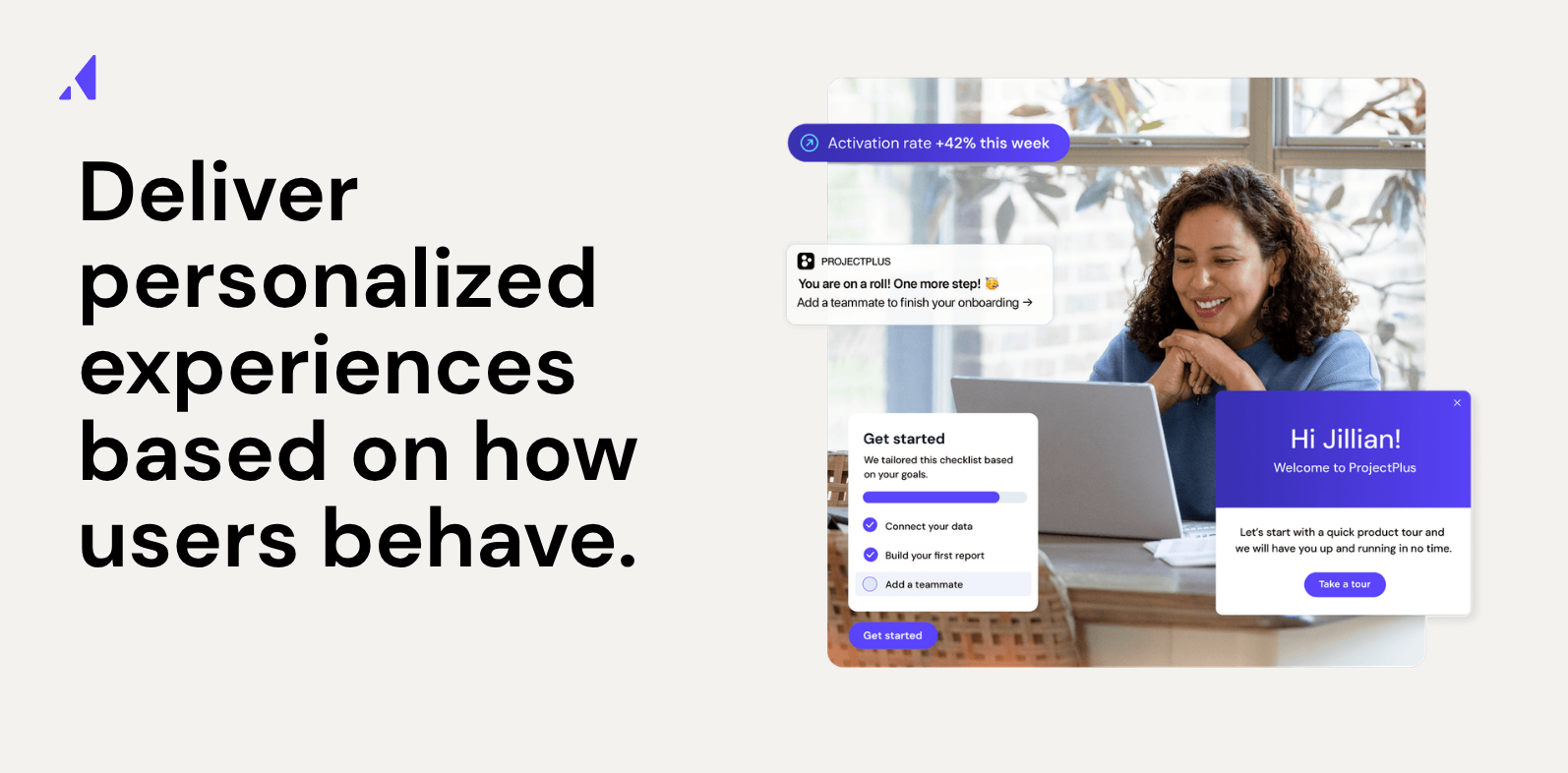
Best for: Enterprise CS teams that need comprehensive health scoring, journey orchestration, and portfolio management across large customer bases.
Gainsight is the category leader in enterprise customer success management. It gives CS teams a centralized command center for tracking customer health, automating lifecycle workflows, and proving the revenue impact of CS activities. Its Copilot AI assists with email drafting, meeting prep, and risk identification.
Key features:
Limitations:
Pricing: Custom pricing. Median contract is roughly $50K+ per year depending on seat count and modules.
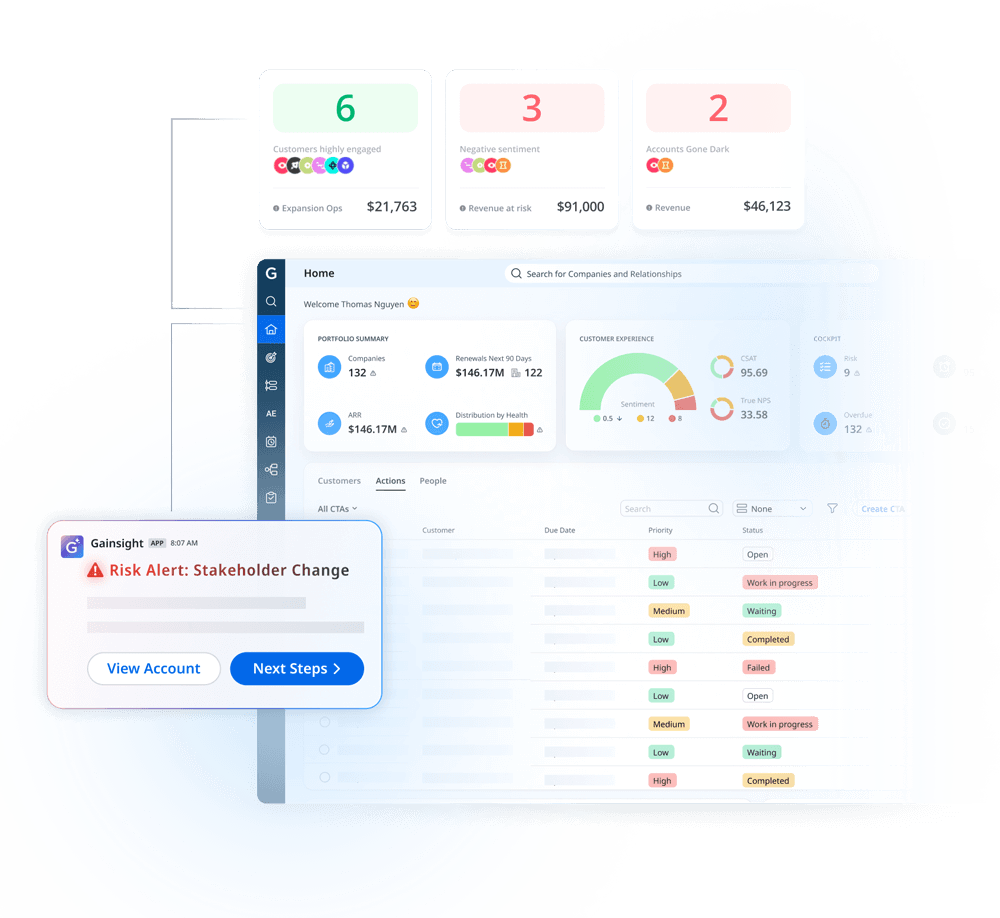
Best for: Mid-market SaaS companies that want real-time usage analytics and proactive churn prevention without enterprise-level complexity.
ChurnZero specializes in giving CS teams real-time visibility into how customers are actually using the product. Its native tracking captures usage data directly (rather than relying on a third-party analytics tool), which means faster setup and cleaner signals.
Key features:
Limitations:
Pricing: Custom pricing based on customer count and features.
Best for: CS teams that want to get started quickly with pre-built journey templates and scale without heavy configuration.
Totango takes a modular approach to customer success with its SuccessBLOC framework - composable, pre-built templates for common CS motions like onboarding, adoption, renewal, and expansion. You pick the BLOCs that match your goals and customize from there.
Key features:
Limitations:
Pricing: Free tier available. Paid plans start at $249/mo.
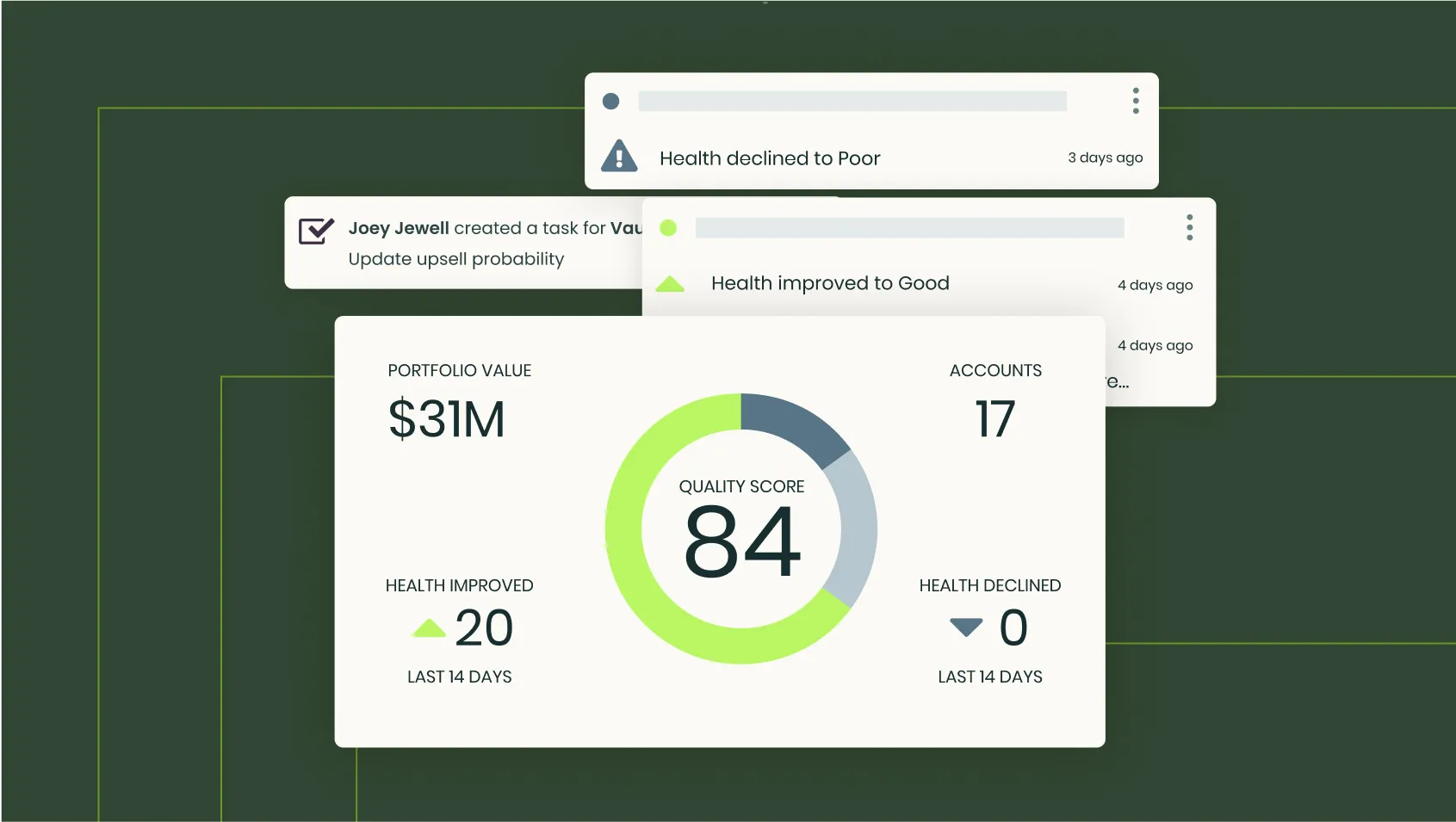
Best for: B2B SaaS companies that want AI-assisted customer success with collaborative success plans and a modern interface.
Vitally stands out with its emphasis on collaboration between CS teams and their customers. Its success plans are shared, transparent documents that both sides can track - which builds accountability and keeps everyone aligned on outcomes.
Key features:
Limitations:
Pricing: Custom pricing. Contact Vitally for a quote.
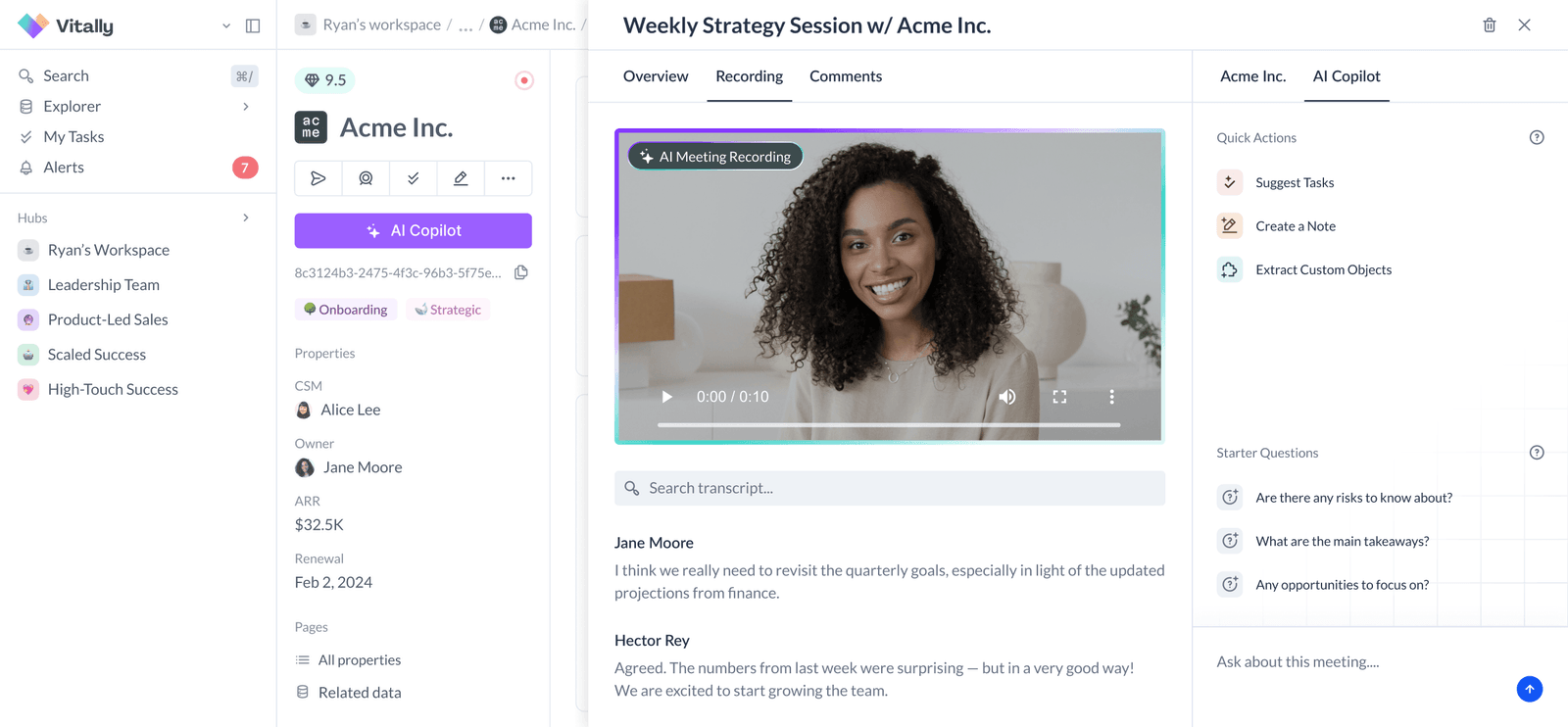
Best for: SaaS businesses that want granular, per-feature health scoring to understand exactly where customers engage and where they drop off.
Custify focuses on giving CS teams fine-grained control over how customer health is measured. Instead of a single aggregate score, you can weight individual features and behaviors to build health models that reflect what actually matters for your product.
Key features:
Limitations:
Pricing: Custom pricing. Contact Custify for details.
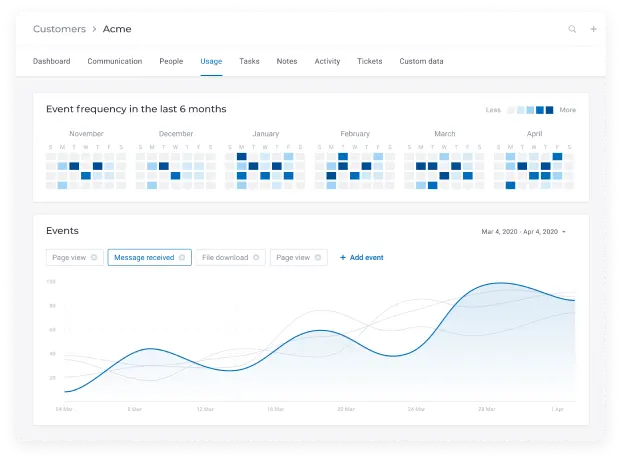
Best for: Data-driven CS teams that want a unified KPI dashboard and acquisition-through-retention analytics in a single view.
Planhat positions itself as the "customer platform" - blending customer success, product analytics, and revenue intelligence into one system. Its unified dashboard approach is particularly strong for teams that want to connect acquisition metrics with post-sale outcomes.
Key features:
Limitations:
Pricing: Custom pricing based on requirements.
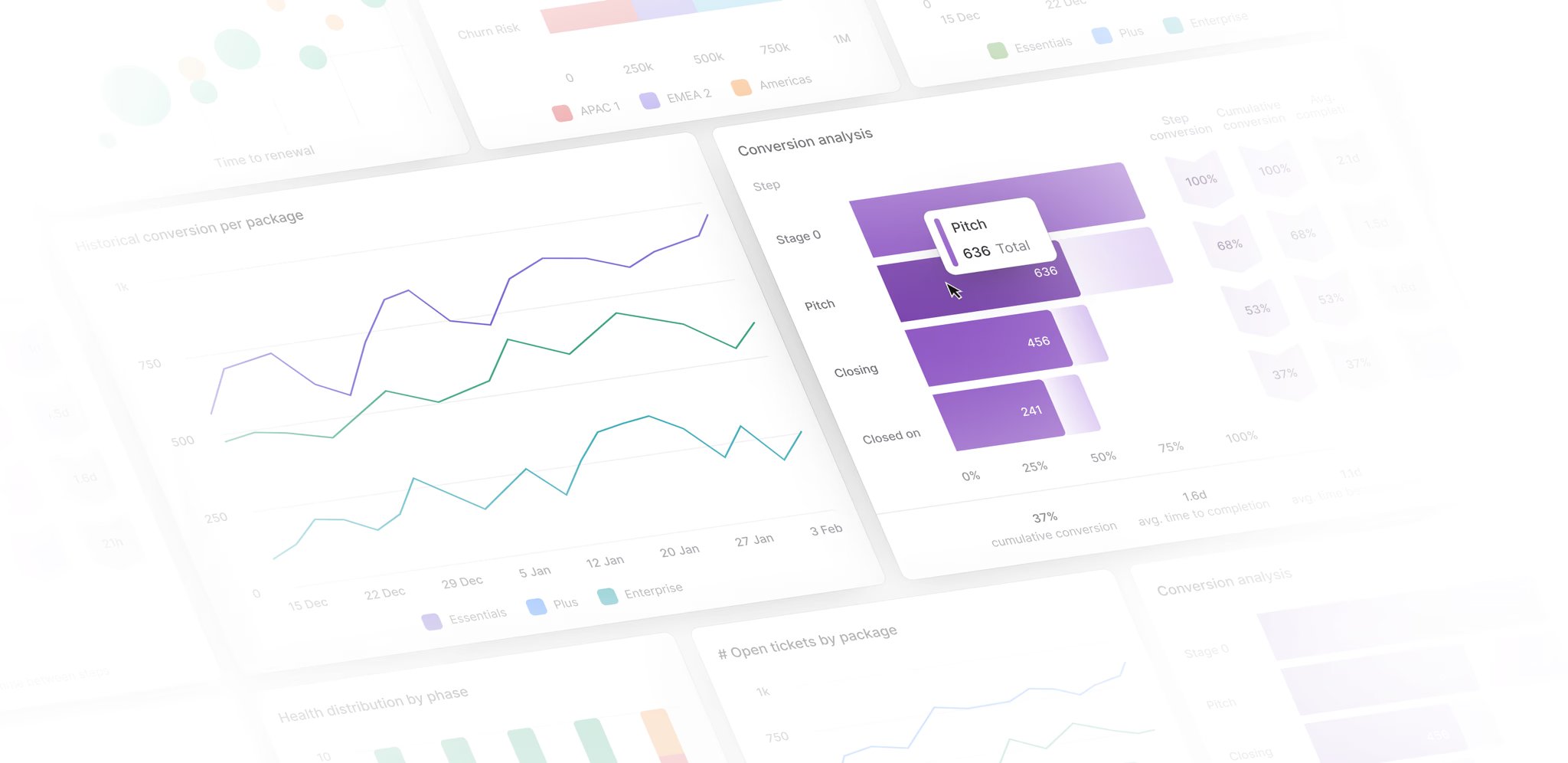
Best for: Teams that want to unify customer messaging, support, and engagement in a single conversational platform.
Intercom has evolved from a live chat tool into a comprehensive customer communication platform. Its AI chatbot (Fin) handles frontline support questions, while its multi-channel campaigns let you reach customers through in-app messages, email, and chat. For CS teams, it's particularly strong when proactive messaging and reactive support need to work together. See Intercom reviews on G2.
Key features:
Limitations:
Pricing: Starting from $39/mo. Pricing scales with contacts and features.
Want to see the difference between Intercom and Appcues? Check out our breakdown!
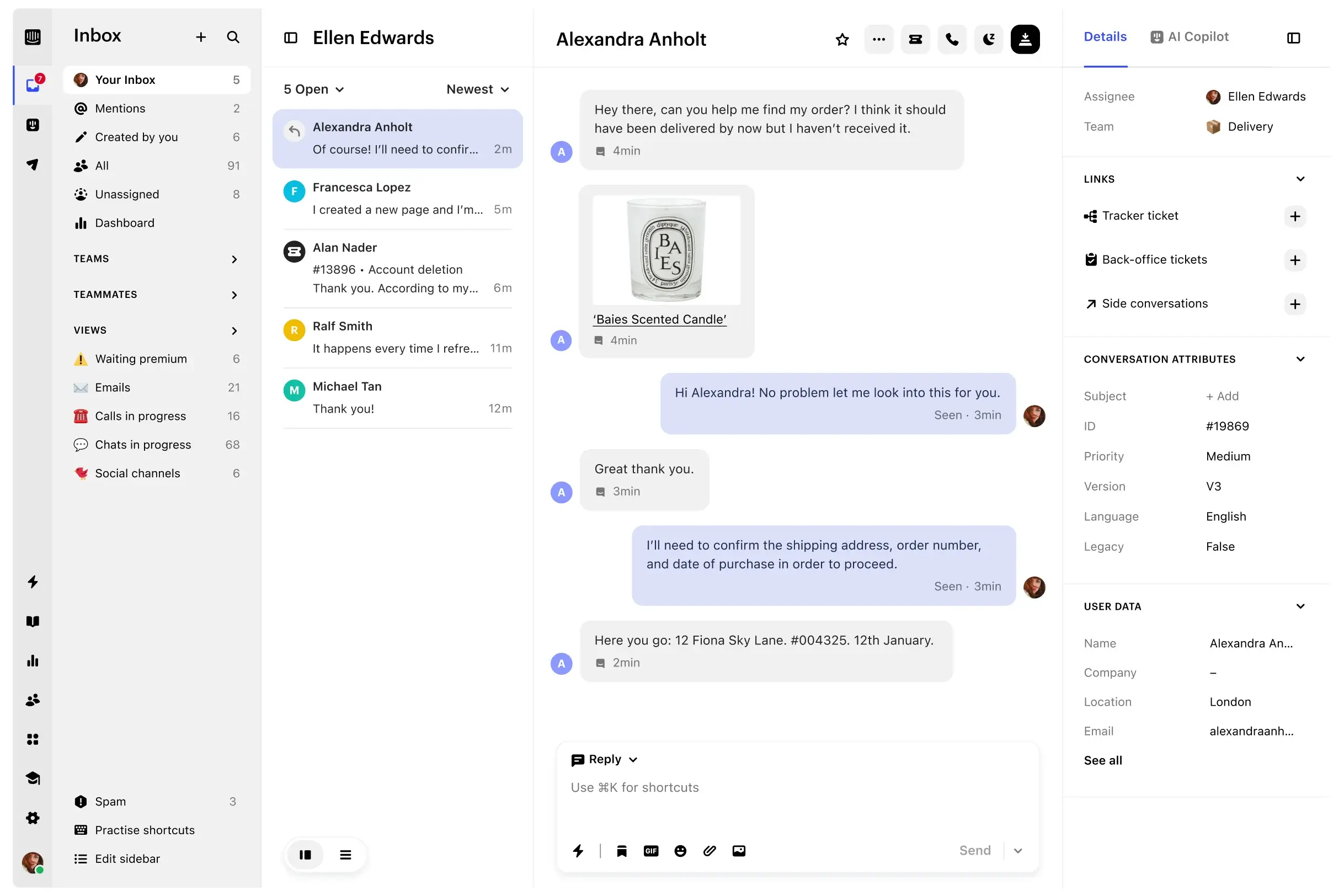
Best for: Organizations focused on digital adoption and employee or customer training through in-app guidance.
Whatfix is a digital adoption platform (DAP) that overlays interactive guidance on top of any web application. It's popular with enterprises that need to onboard users to complex tools - both internal (like Salesforce or Workday) and customer-facing products. See Whatfix reviews on G2.
Key features:
Limitations:
Pricing: Custom pricing. Contact Whatfix for a quote.
Want to see the difference between Whatfix and Appcues? Check out our breakdown!
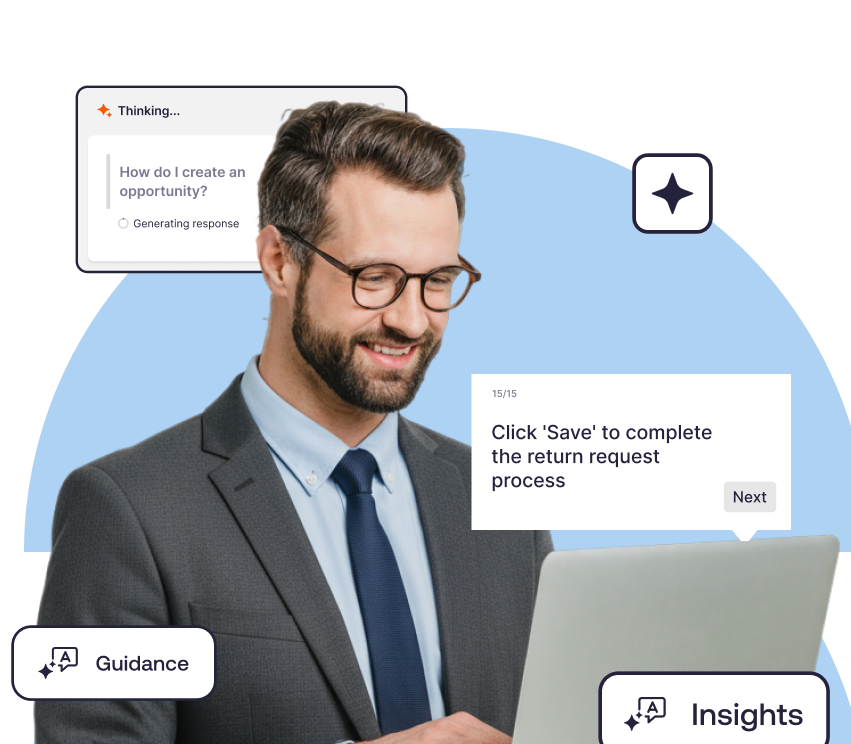
Best for: Small to mid-size teams that need affordable, low-code onboarding and in-app guidance without a heavy technical lift.
UserGuiding offers a straightforward, budget-friendly approach to in-app onboarding. If you need product tours, checklists, and resource centers but don't have the budget for an enterprise DAP, UserGuiding covers the basics well. See UserGuiding reviews on G2.
Key features:
Limitations:
Pricing: Starting from $69/mo.
Want to see the difference between UserGuiding and Appcues? Check out our breakdown!
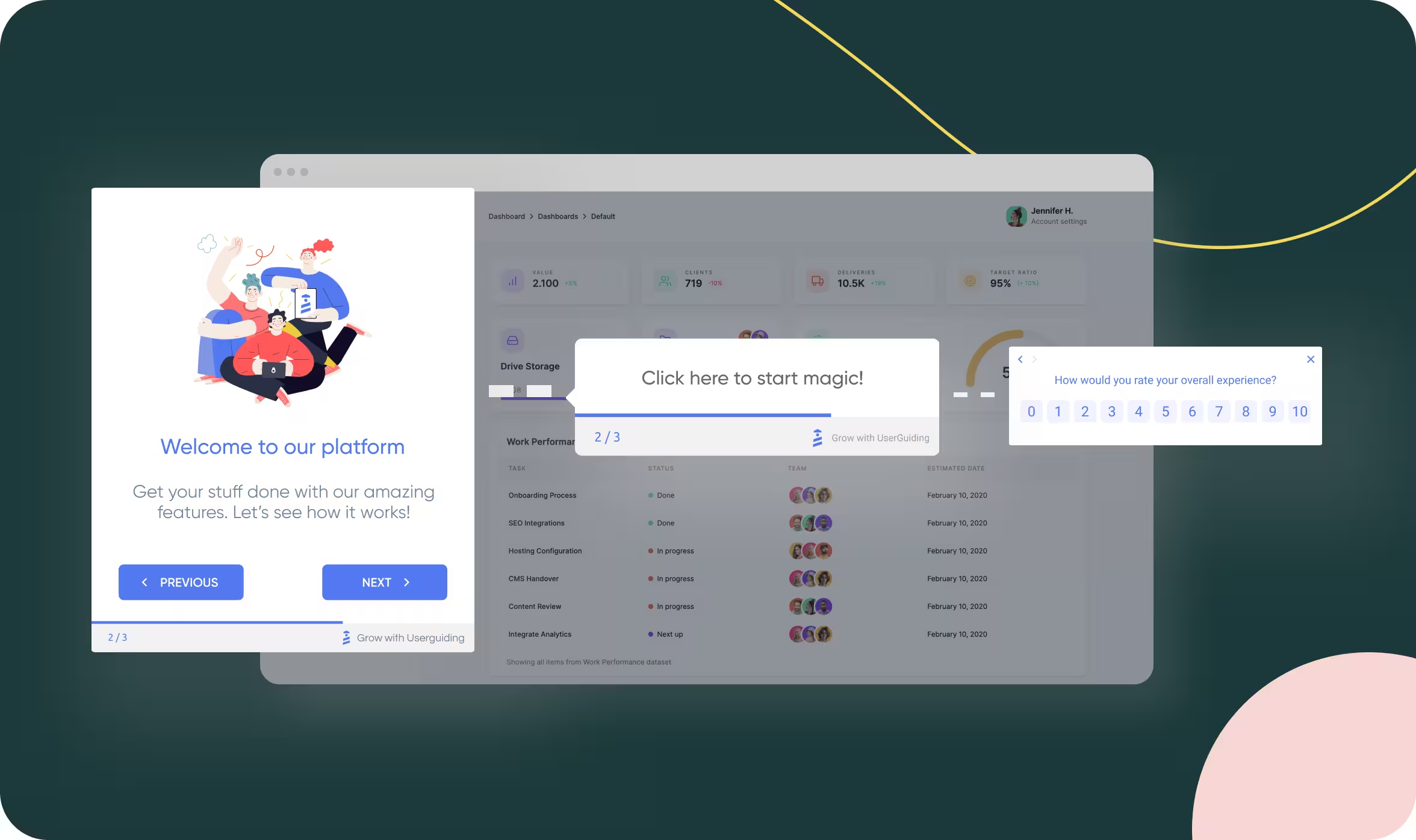
Best for: Support-centric teams that need omnichannel ticketing and a massive integration ecosystem.
Zendesk is the go-to platform for customer support, and its capabilities extend into proactive customer success when paired with the right strategy. With 1,000+ integrations and unified messaging across email, chat, phone, and social, it's particularly strong for teams where support operations and customer success overlap.
Key features:
Limitations:
Pricing: Starting from $49/mo per agent.
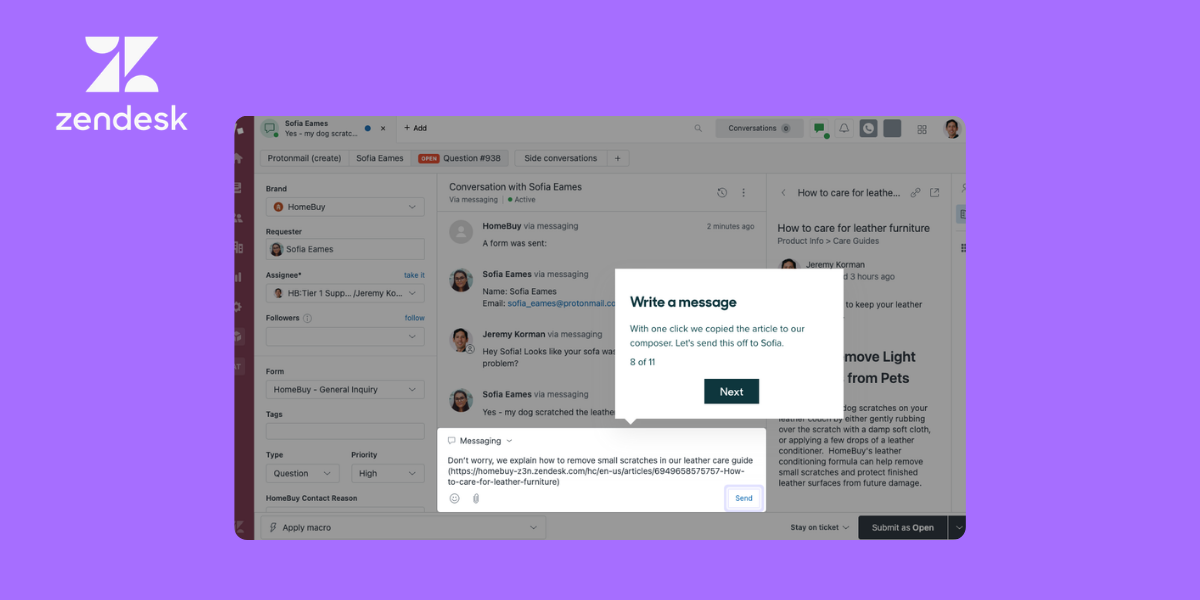
Best for: Teams already using HubSpot's CRM, marketing, or sales tools that want a unified customer service layer without adding another vendor.
HubSpot Service Hub brings customer support and feedback tools into the broader HubSpot ecosystem. If your team already lives in HubSpot, Service Hub gives you a seamless way to manage tickets, build a knowledge base, collect NPS and CSAT feedback, and connect service data back to your CRM records.
Key features:
Limitations:
Pricing: Free tier available. Paid plans start at $45/mo.
Grow your customers - and your business - with Appcues. Learn more
Choosing a CS platform is one of those decisions that's easy to overthink and even easier to get wrong. These five practices will help you avoid the most common traps.
Before you look at a single demo, get clear on what you're trying to move. Is your priority reducing gross churn? Improving net revenue retention? Shortening time to value for new accounts? The platform you need depends entirely on the answer.
A team focused on NRR will prioritize expansion triggers and revenue intelligence. A team focused on onboarding efficiency needs in-app guidance and self-serve engagement tools. If you walk into demos without this clarity, you'll end up evaluating features in a vacuum - and vendors will happily sell you capabilities you don't need yet.
Example: A mid-market SaaS company with 110% NRR but a 90-day average time to value would get more impact from improving onboarding (Appcues, Whatfix) than from adding another health scoring layer.
Draw out your customer journey from signup to renewal. Where are accounts falling off? Where does your team spend the most manual effort? The biggest gap in your lifecycle is where CS software should plug in first.
If most of your churn happens in the first 60 days, onboarding and feature adoption tools should lead your evaluation. If churn spikes at renewal, you need health scoring and early warning systems. Don't try to solve every lifecycle stage at once - pick the gap with the highest revenue impact and start there.
Feature comparison spreadsheets are seductive but misleading. A tool with 50 features you'll never use is worse than one with 15 that match how your team actually works. Build your must-have list from your current workflow, not from a vendor's capability matrix.
Talk to the CSMs and ops people who'll use the platform daily. What do they do in spreadsheets that should be automated? What data do they wish they had in one place? Those answers matter more than any feature comparison chart.
Demo environments are designed to impress you. Real data tells you whether the tool works for your specific use case. Any vendor worth considering will let you run a pilot on a subset of your actual accounts.
Example: When evaluating health scoring platforms, load 50-100 real accounts and see if the scoring model surfaces the same at-risk customers your team already knows about. If it doesn't, either the signals need tuning or the tool isn't the right fit.
The most common failure mode in CS software isn't the technology - it's adoption. A powerful platform that your team doesn't use is just an expensive line item. Factor in onboarding time, training resources, and change management when you evaluate.
Ask vendors about time to value for their average customer. Ask for references from companies at your stage and scale. And build internal champions before you sign - the CSM who helped evaluate the tool is the one most likely to drive adoption across the team.
More features don't equal more value. Enterprise CS platforms pack in capabilities that a 20-person team will never touch, and each unused feature adds complexity to your implementation and training. Evaluate fit against your actual use cases, not a checkbox comparison. A smaller tool that your team uses daily will outperform a sophisticated one that collects dust.
Your CS platform needs to talk to your CRM, your billing system, your product analytics, and probably your support desk. If those integrations are clunky, manual, or nonexistent, you'll spend more time wrangling data than acting on it. Check the integration directory before you check the feature list, and test the actual data flow during your pilot - not after you've signed a contract.
Annual and multi-year contracts often come with meaningful discounts, which is exactly why vendors push them. But locking into a 24-month deal before you've validated the tool on real data is a gamble. Run a focused pilot (30 to 60 days, 50 to 100 accounts) to confirm the platform works for your team's specific needs. The discount you save on a multi-year deal is small compared to the cost of a year spent on the wrong tool.
A customer success platform and a CRM solve different problems. Your CRM tracks the sales relationship and deal pipeline. Your CS platform manages the post-sale lifecycle - onboarding, adoption, health, and expansion. Expecting one tool to do both leads to poor data architecture and frustrated teams. The best CS stacks use both, with clean data flowing between them.
The "best" customer success tool is the one that fits your team's current reality, not just your aspirations. Here's a framework for narrowing the field.
Don't underestimate this one. The tool that integrates natively with your CRM, billing system, and product analytics will deliver value faster than the one with the longest feature list. Map your existing stack first, check integration directories second, and evaluate features third.
If you're already using Salesforce, make sure the platform has a robust, bidirectional sync. If you're in HubSpot's ecosystem, Service Hub has an obvious advantage. And if you're running a product-led motion, make sure your CS tool can ingest product usage data - either natively or through a CDP like Segment.
Ready to see how product-led engagement fits into your CS strategy? Book a demo to see Appcues in action.
It isn't enough to simply know about your customers' behaviors and sentiments. Your customer success software ultimately needs to help you act on your insights and foster better, longer-lasting relationships with your customers.
The right tool depends on where you are today and where you're headed. But one thing is consistent across every stage: the teams that invest in proactive, personalized customer experiences are the ones that retain more, expand more, and grow faster.
Appcues helps you turn product engagement into your most scalable customer success channel. With an AI-powered growth engine, multi-channel personalization across in-app, email, and mobile, and a low-code builder that puts your CS team in control, you can deliver the right experience to the right user at the right time - without waiting on engineering.
Book a demo to see how Appcues can help your team scale onboarding, drive adoption, and reduce churn. Or learn more about Appcues for customer success.
Lifecycle Marketing
Advocacy & Referrals
Retention & Churn
Upsell & Cross-sell
TL;DR
Customer success software helps post-sale teams manage onboarding, adoption, retention, and expansion from a single platform - replacing the patchwork of spreadsheets, CRM workarounds, and gut instinct that most CS teams outgrow by year two.
This guide compares 12 of the top tools on the market, breaking down features, pricing, and trade-offs so you can find the right fit.
Whether you're a CS leader scaling beyond high-touch or a growth team tying engagement to retention, you'll walk away with a framework for evaluating platforms and a shortlist worth demoing.
You can't drive over to the homes and offices of your thousands of users, lurk over their shoulders, and coach each of them on how to best use your app. (And even if you could, please don't.)
You need a proactive customer success strategy to align your product with both internal and customer expectations. Informed and intentional actions make up any worthwhile customer success plan, which means you need a way to dive deep into your user data and feedback. The right customer success software will help you determine what your customers need and how to give it to them - all while helping your company achieve success of its own.
But the category has grown fast. A few years ago, the choice was basically "Gainsight or a spreadsheet." Now there are dozens of platforms spanning dedicated CS suites, customer engagement tools, digital adoption platforms, and support-first solutions that have expanded into success territory. Picking the wrong one wastes months of implementation time and budget you won't get back.
In this guide, we'll break down what customer success software actually does, compare the top 12 tools on the market, and give you a framework for choosing the right one based on your team's size, goals, and tech stack.
Customer success software is a platform that gathers quantitative and qualitative customer data under a single umbrella. It provides you with a comprehensive understanding of your customers' needs and wants, allowing you to analyze the impact of your current offering by tracking product data and customer sentiment.
Here's an important distinction: a customer success platform (CSP) is not the same thing as a CRM. CRMs manage the sales pipeline and pre-sale relationships. Customer success management software manages the post-sale lifecycle - onboarding, adoption, retention, and expansion. They complement each other, but they solve different problems.
Modern customer success platforms unify product usage data, support tickets, billing information, and CRM records into a single view so your team can spot risks and opportunities without toggling between six tabs. The goal is to help you act on insights, not just collect them.
And the business case is hard to ignore: acquiring a new customer costs 5 to 25 times more than retaining an existing one (Harvard Business Review). Every dollar you invest in reducing churn and driving expansion has an outsized impact on your bottom line.
The most effective CS platforms share a few traits: they integrate with the tools your team already uses, they surface signals early enough to act on (not just report after the fact), and they make it possible to scale personalized engagement without scaling headcount at the same rate.
The math behind customer success is some of the most compelling in SaaS. Retention is the engine behind compounding revenue, and CS software is how most teams keep that engine running.
Retention economics favor investment in existing customers. Bain & Company's widely cited research found that a 5% increase in customer retention can boost profits by 25% to 95%. That range is wide, but the direction is clear: even modest improvements in retention have a disproportionate effect on the bottom line. For a SaaS company doing $10M in ARR, moving net revenue retention (NRR) from 100% to 110% adds $1M in recurring revenue without closing a single new deal.
Churn is expensive in ways that don't show up on a dashboard. When a customer leaves, you lose the revenue, obviously. But you also lose the referral potential, the case study opportunity, and the expansion revenue that account would have generated over the next two to three years. Research from ProfitWell (now Paddle) has shown that the median SaaS company loses 5-7% of its revenue to churn annually. For high-growth companies, that leakage offsets a significant portion of new bookings. Investing in the right customer retention tools is one of the highest-leverage moves a SaaS team can make.
The best-performing SaaS companies treat CS as a growth function, not a cost center. Companies with top-quartile NRR (above 120%) consistently outperform peers on valuation multiples. Look at Snowflake, which has reported NRR above 130% - that kind of expansion doesn't happen without deliberate, data-driven customer success motions powered by the right tooling.
A customer success platform gives your team the operational layer to execute on these economics: health scores that flag risk before renewal conversations, automation that scales outreach without burning out CSMs, and analytics that tie CS activities directly to revenue outcomes. Without that layer, even a talented CS team is flying with incomplete data and manual processes that cap their impact.
For a deeper look at what to measure, explore these customer success metrics every SaaS team should track.
Not all customer success tools solve the same problem. Before you commit to a platform, evaluate it against these five criteria to make sure it actually fits your team's workflow and goals.
A health score is only as useful as the signals feeding it. Look for platforms that offer weighted, multi-signal scoring - combining product usage, support activity, billing data, and sentiment indicators like NPS scores into a single risk-and-opportunity metric. Single-factor scores (like login frequency alone) miss too much context. The best tools let you customize scoring models by segment so an enterprise account and a startup trial aren't measured by the same yardstick. Proactive health monitoring is also one of the most effective ways to reduce churn before it becomes a pattern.
Your customer data lives everywhere - CRM, billing system, support desk, product analytics, and probably a few spreadsheets. A customer success platform should bring all of it together so your team operates from a single source of truth. Prioritize tools with native integrations for the systems you already use (Salesforce, HubSpot, Stripe, Zendesk) and a flexible API for everything else.
Manual follow-ups don't scale. Look for lifecycle automation that lets you build repeatable workflows for onboarding, renewal, and expansion. The right playbooks trigger actions based on customer behavior - sending a check-in when usage drops, scheduling a renewal conversation 90 days out, or prompting an upsell when a team exceeds their seat count. The goal: your team spends time on strategy and relationships, not task management.
Your CS team needs operational dashboards. Your executives need portfolio-level visibility. Evaluate whether the platform can surface the metrics that matter - gross revenue retention (GRR), net revenue retention (NRR), feature adoption rates, and time to value. Bonus points for cohort analysis and the ability to tie CS activities directly to revenue outcomes.
The most scalable way to help customers succeed is to meet them where they already are: inside your product. Self-serve guidance through in-app messaging, product tours, tooltips, and checklists lets you onboard thousands of users without scheduling a single call. This is especially valuable for CS teams looking to shift from high-touch to tech-touch at scale. A strong customer onboarding program is the foundation for everything that follows.
Best for: Product-led teams that need to scale onboarding, drive feature adoption, and reduce churn through personalized in-app, email, and mobile experiences.
Appcues is a customer engagement platform built for teams that believe the product itself is the best channel for helping customers succeed. Instead of relying solely on CSM calls and email sequences, Appcues lets you deliver targeted, behavior-driven experiences directly inside your app and across email and mobile.
At the core of Appcues is an AI-powered growth engine that follows a continuous cycle: understand user behavior, decide on the best next action, act by delivering personalized experiences, and learn from the results. This means your onboarding flows, feature announcements, and engagement campaigns get smarter with every interaction.
The platform's AI agents are purpose-built for different parts of the experience lifecycle. Advisor provides best-practice guidance on adoption and engagement strategy. Growth Analyst answers questions about performance and impact so you can surface insights without digging through dashboards. Segmentation Planner turns audience ideas into precise targeting logic and validates your segments before you launch.
Key features:
Limitations:
Pricing: Custom pricing based on MAUs. Every plan includes all features, experience types, and integrations from day one. See full pricing details.
Best for: Enterprise CS teams that need comprehensive health scoring, journey orchestration, and portfolio management across large customer bases.
Gainsight is the category leader in enterprise customer success management. It gives CS teams a centralized command center for tracking customer health, automating lifecycle workflows, and proving the revenue impact of CS activities. Its Copilot AI assists with email drafting, meeting prep, and risk identification.
Key features:
Limitations:
Pricing: Custom pricing. Median contract is roughly $50K+ per year depending on seat count and modules.
Best for: Mid-market SaaS companies that want real-time usage analytics and proactive churn prevention without enterprise-level complexity.
ChurnZero specializes in giving CS teams real-time visibility into how customers are actually using the product. Its native tracking captures usage data directly (rather than relying on a third-party analytics tool), which means faster setup and cleaner signals.
Key features:
Limitations:
Pricing: Custom pricing based on customer count and features.
Best for: CS teams that want to get started quickly with pre-built journey templates and scale without heavy configuration.
Totango takes a modular approach to customer success with its SuccessBLOC framework - composable, pre-built templates for common CS motions like onboarding, adoption, renewal, and expansion. You pick the BLOCs that match your goals and customize from there.
Key features:
Limitations:
Pricing: Free tier available. Paid plans start at $249/mo.
Best for: B2B SaaS companies that want AI-assisted customer success with collaborative success plans and a modern interface.
Vitally stands out with its emphasis on collaboration between CS teams and their customers. Its success plans are shared, transparent documents that both sides can track - which builds accountability and keeps everyone aligned on outcomes.
Key features:
Limitations:
Pricing: Custom pricing. Contact Vitally for a quote.
Best for: SaaS businesses that want granular, per-feature health scoring to understand exactly where customers engage and where they drop off.
Custify focuses on giving CS teams fine-grained control over how customer health is measured. Instead of a single aggregate score, you can weight individual features and behaviors to build health models that reflect what actually matters for your product.
Key features:
Limitations:
Pricing: Custom pricing. Contact Custify for details.
Best for: Data-driven CS teams that want a unified KPI dashboard and acquisition-through-retention analytics in a single view.
Planhat positions itself as the "customer platform" - blending customer success, product analytics, and revenue intelligence into one system. Its unified dashboard approach is particularly strong for teams that want to connect acquisition metrics with post-sale outcomes.
Key features:
Limitations:
Pricing: Custom pricing based on requirements.
Best for: Teams that want to unify customer messaging, support, and engagement in a single conversational platform.
Intercom has evolved from a live chat tool into a comprehensive customer communication platform. Its AI chatbot (Fin) handles frontline support questions, while its multi-channel campaigns let you reach customers through in-app messages, email, and chat. For CS teams, it's particularly strong when proactive messaging and reactive support need to work together. See Intercom reviews on G2.
Key features:
Limitations:
Pricing: Starting from $39/mo. Pricing scales with contacts and features.
Want to see the difference between Intercom and Appcues? Check out our breakdown!
Best for: Organizations focused on digital adoption and employee or customer training through in-app guidance.
Whatfix is a digital adoption platform (DAP) that overlays interactive guidance on top of any web application. It's popular with enterprises that need to onboard users to complex tools - both internal (like Salesforce or Workday) and customer-facing products. See Whatfix reviews on G2.
Key features:
Limitations:
Pricing: Custom pricing. Contact Whatfix for a quote.
Want to see the difference between Whatfix and Appcues? Check out our breakdown!
Best for: Small to mid-size teams that need affordable, low-code onboarding and in-app guidance without a heavy technical lift.
UserGuiding offers a straightforward, budget-friendly approach to in-app onboarding. If you need product tours, checklists, and resource centers but don't have the budget for an enterprise DAP, UserGuiding covers the basics well. See UserGuiding reviews on G2.
Key features:
Limitations:
Pricing: Starting from $69/mo.
Want to see the difference between UserGuiding and Appcues? Check out our breakdown!
Best for: Support-centric teams that need omnichannel ticketing and a massive integration ecosystem.
Zendesk is the go-to platform for customer support, and its capabilities extend into proactive customer success when paired with the right strategy. With 1,000+ integrations and unified messaging across email, chat, phone, and social, it's particularly strong for teams where support operations and customer success overlap.
Key features:
Limitations:
Pricing: Starting from $49/mo per agent.
Best for: Teams already using HubSpot's CRM, marketing, or sales tools that want a unified customer service layer without adding another vendor.
HubSpot Service Hub brings customer support and feedback tools into the broader HubSpot ecosystem. If your team already lives in HubSpot, Service Hub gives you a seamless way to manage tickets, build a knowledge base, collect NPS and CSAT feedback, and connect service data back to your CRM records.
Key features:
Limitations:
Pricing: Free tier available. Paid plans start at $45/mo.
Grow your customers - and your business - with Appcues. Learn more
Choosing a CS platform is one of those decisions that's easy to overthink and even easier to get wrong. These five practices will help you avoid the most common traps.
Before you look at a single demo, get clear on what you're trying to move. Is your priority reducing gross churn? Improving net revenue retention? Shortening time to value for new accounts? The platform you need depends entirely on the answer.
A team focused on NRR will prioritize expansion triggers and revenue intelligence. A team focused on onboarding efficiency needs in-app guidance and self-serve engagement tools. If you walk into demos without this clarity, you'll end up evaluating features in a vacuum - and vendors will happily sell you capabilities you don't need yet.
Example: A mid-market SaaS company with 110% NRR but a 90-day average time to value would get more impact from improving onboarding (Appcues, Whatfix) than from adding another health scoring layer.
Draw out your customer journey from signup to renewal. Where are accounts falling off? Where does your team spend the most manual effort? The biggest gap in your lifecycle is where CS software should plug in first.
If most of your churn happens in the first 60 days, onboarding and feature adoption tools should lead your evaluation. If churn spikes at renewal, you need health scoring and early warning systems. Don't try to solve every lifecycle stage at once - pick the gap with the highest revenue impact and start there.
Feature comparison spreadsheets are seductive but misleading. A tool with 50 features you'll never use is worse than one with 15 that match how your team actually works. Build your must-have list from your current workflow, not from a vendor's capability matrix.
Talk to the CSMs and ops people who'll use the platform daily. What do they do in spreadsheets that should be automated? What data do they wish they had in one place? Those answers matter more than any feature comparison chart.
Demo environments are designed to impress you. Real data tells you whether the tool works for your specific use case. Any vendor worth considering will let you run a pilot on a subset of your actual accounts.
Example: When evaluating health scoring platforms, load 50-100 real accounts and see if the scoring model surfaces the same at-risk customers your team already knows about. If it doesn't, either the signals need tuning or the tool isn't the right fit.
The most common failure mode in CS software isn't the technology - it's adoption. A powerful platform that your team doesn't use is just an expensive line item. Factor in onboarding time, training resources, and change management when you evaluate.
Ask vendors about time to value for their average customer. Ask for references from companies at your stage and scale. And build internal champions before you sign - the CSM who helped evaluate the tool is the one most likely to drive adoption across the team.
More features don't equal more value. Enterprise CS platforms pack in capabilities that a 20-person team will never touch, and each unused feature adds complexity to your implementation and training. Evaluate fit against your actual use cases, not a checkbox comparison. A smaller tool that your team uses daily will outperform a sophisticated one that collects dust.
Your CS platform needs to talk to your CRM, your billing system, your product analytics, and probably your support desk. If those integrations are clunky, manual, or nonexistent, you'll spend more time wrangling data than acting on it. Check the integration directory before you check the feature list, and test the actual data flow during your pilot - not after you've signed a contract.
Annual and multi-year contracts often come with meaningful discounts, which is exactly why vendors push them. But locking into a 24-month deal before you've validated the tool on real data is a gamble. Run a focused pilot (30 to 60 days, 50 to 100 accounts) to confirm the platform works for your team's specific needs. The discount you save on a multi-year deal is small compared to the cost of a year spent on the wrong tool.
A customer success platform and a CRM solve different problems. Your CRM tracks the sales relationship and deal pipeline. Your CS platform manages the post-sale lifecycle - onboarding, adoption, health, and expansion. Expecting one tool to do both leads to poor data architecture and frustrated teams. The best CS stacks use both, with clean data flowing between them.
The "best" customer success tool is the one that fits your team's current reality, not just your aspirations. Here's a framework for narrowing the field.
Don't underestimate this one. The tool that integrates natively with your CRM, billing system, and product analytics will deliver value faster than the one with the longest feature list. Map your existing stack first, check integration directories second, and evaluate features third.
If you're already using Salesforce, make sure the platform has a robust, bidirectional sync. If you're in HubSpot's ecosystem, Service Hub has an obvious advantage. And if you're running a product-led motion, make sure your CS tool can ingest product usage data - either natively or through a CDP like Segment.
Ready to see how product-led engagement fits into your CS strategy? Book a demo to see Appcues in action.
It isn't enough to simply know about your customers' behaviors and sentiments. Your customer success software ultimately needs to help you act on your insights and foster better, longer-lasting relationships with your customers.
The right tool depends on where you are today and where you're headed. But one thing is consistent across every stage: the teams that invest in proactive, personalized customer experiences are the ones that retain more, expand more, and grow faster.
Appcues helps you turn product engagement into your most scalable customer success channel. With an AI-powered growth engine, multi-channel personalization across in-app, email, and mobile, and a low-code builder that puts your CS team in control, you can deliver the right experience to the right user at the right time - without waiting on engineering.
Book a demo to see how Appcues can help your team scale onboarding, drive adoption, and reduce churn. Or learn more about Appcues for customer success.

Sign up for Quickcues and get our monthly updates!
.svg)


